


ERROR 1290 (HY000): The MySQL server is running with the –secure-file-priv

When working with MySQL, you may try exporting or importing data using LOAD DATA INFILE or SELECT ... INTO OUTFILE. If MySQL is configured to use the --secure-file-priv option, you can run into this error:
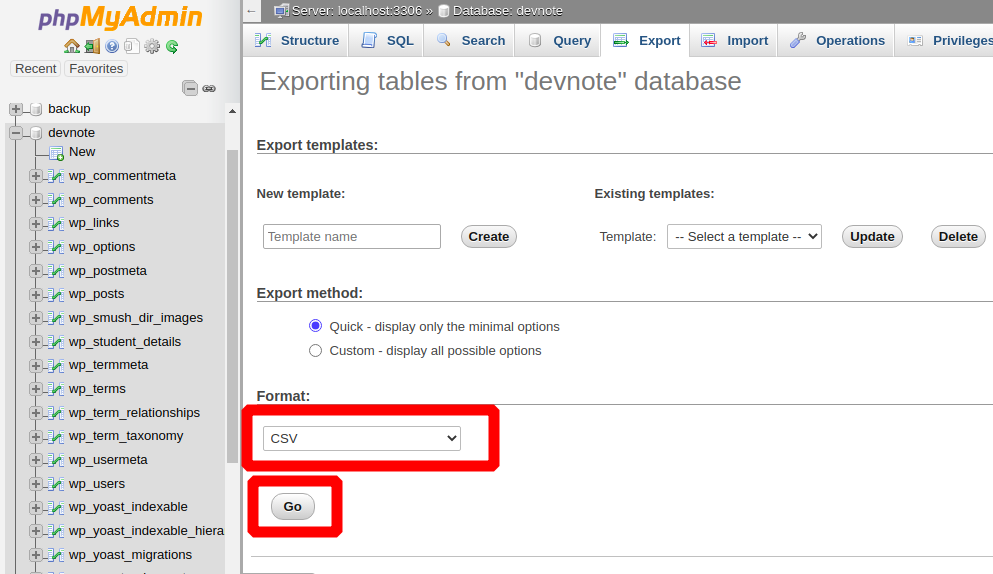
ERROR 1290 (HY000): The MySQL server is running with the --secure-file-priv option so it cannot execute this statementThis message might seem confusing, but the solution is simple. MySQL restricts where files can be imported or exported to protect your server. You must store your CSV files in the directory allowed by the secure-file-priv configuration.
What is secure-file-priv?
secure-file-priv is a MySQL server setting that limits file operations like:
SELECT ... INTO OUTFILELOAD DATA INFILELOAD DATA LOCAL INFILE
It prevents you from reading or writing files anywhere on the system, allowing only one safe folder.
This helps prevent security risks such as writing files into sensitive directories.
Step 1: Check the Allowed Storage Directory
Before exporting, you must verify where MySQL allows saving files. Run this command:
SELECT @@GLOBAL.secure_file_priv;You’ll see something like:
/var/lib/mysql-files/This means MySQL only allows reading/writing CSV in that location.
Step 2: Export Using the Correct Directory
Now, use SELECT ... INTO OUTFILE and point to that directory:
SELECT id, f_name, email
INTO OUTFILE '/var/lib/mysql-files/export.csv'
FIELDS TERMINATED BY ','
ENCLOSED BY '"'
ESCAPED BY ','
LINES TERMINATED BY '\n'
FROM members;
This will successfully create a CSV file named export.csv in the allowed directory.
Step 3: Move the File if Needed
If you need the CSV somewhere else (like your project directory), simply move it using SSH or file manager after export:
Example:
cp /var/lib/mysql-files/export.csv /home/myproject/export.csvYou cannot export directly outside /var/lib/mysql-files/, but you can move the file afterward.
What if secure_file_priv is empty?
If the returned value is empty (NULL or blank), MySQL allows exports anywhere.
Example output:
secure_file_priv = NULLThis means no directory restrictions. You can export directly:
SELECT * FROM members INTO OUTFILE '/home/username/members.csv';Changing secure-file-priv (Server Admin Only)
If you want to change the directory, modify the MySQL config file:
Linux
/etc/mysql/mysql.conf.d/mysqld.cnfAdd or edit:
secure-file-priv="/home/export/"Then restart MySQL:
sudo systemctl restart mysql⚠️ Not recommended on shared hosting — you likely don’t have permission.
Why You Get This Error
- Using wrong export directory
- Shared hosting restrictions
- Local MySQL config
- Locked permissions
- Server security policy
The fix is not to disable the feature but to export properly.
Final Thoughts
The secure-file-priv error is a safety feature, not a bug.
Just follow these rules:
- Check the allowed folder
- Export files there
- Move them later if needed
Once you understand the directory limitation, exporting CSV files from MySQL becomes very easy.

![How to Fix SQLSTATE[HY000] [1045] Access denied for user in Laravel and phpMyAdmin](https://devnote.in/wp-content/uploads/2025/11/How-to-fix-sqlstate-hy000-1045-access-denied-for-user-in-laravel-and-phpmyadmin.png "How to Fix SQLSTATE[HY000] [1045] Access denied for user in Laravel and phpMyAdmin")