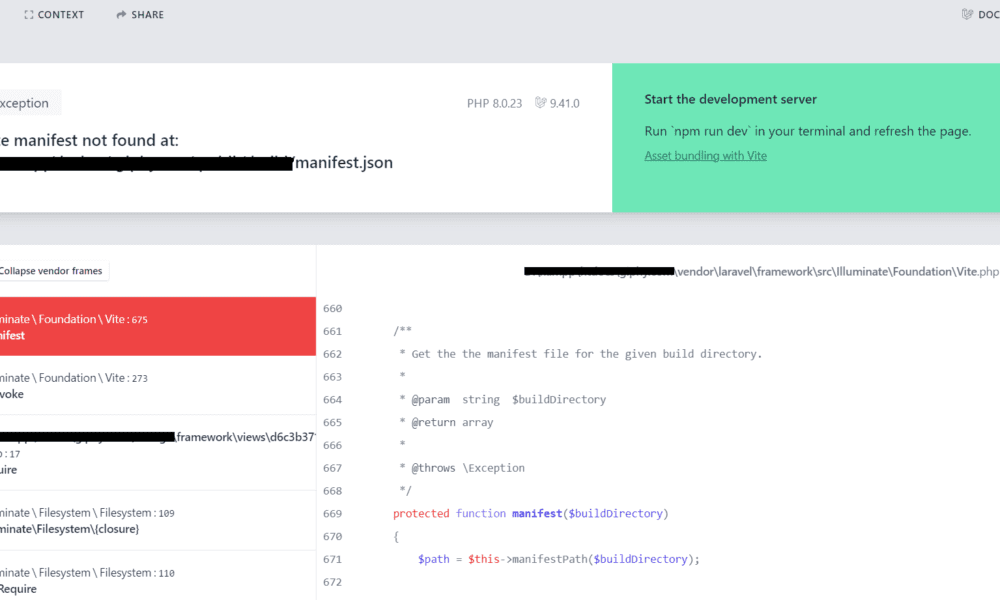
Vite manifest not found at: manifest.json in Laravel 9

Today, we will solve this error: Vite manifest not found at: manifest.json in Laravel 9. Vite manifest not found at: manifest.json error mentioned that they can’t find laravel-vite-plugin/inertia-helpers. I will give you a very simple way how to solve Vite manifest not found at: manifest.json in Laravel 9.
Learn how to fix the “Vite manifest not found at: manifest.json” error in Laravel 9. This issue usually happens after switching from Mix to Vite, incorrect build paths, or missing asset files. Follow simple steps to solve it.
Vite manifest not found at: manifest.json in Command Line

Vite manifest not found at: manifest.json in Laravel 9
If you solve Vite manifest not found at: manifest.json in Laravel 9, you need to execute the below commands:
npm install --save-dev vite laravel-vite-pluginnpm install --save-dev @vitejs/plugin-vueYou also need to check in your package.json, if you can’t see the below code then you can upload it:
#package.json

{
    "private": true,
    /* check scripts and his value */
    "scripts": {
        "dev": "vite",
        "build": "vite build"
    },
    "devDependencies": {
        "@popperjs/core": "^2.10.2",
        "@vitejs/plugin-vue": "^3.2.0", //check
        "axios": "^1.1.2",
        "bootstrap": "^5.2.1",
        "laravel-vite-plugin": "^0.7.1", //check
        "lodash": "^4.17.19",
        "postcss": "^8.1.14",
        "sass": "^1.32.11",
        "vite": "^4.0.0",
        "vue": "^3.2.37"
    }
}
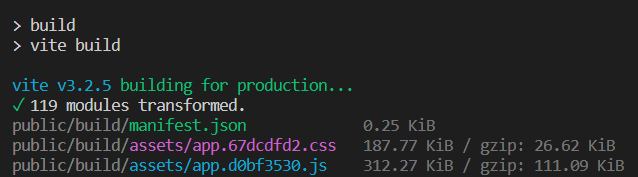
Finally, you can run this command below to build Vite and create the manifest file.
npm run buildCommand Output: