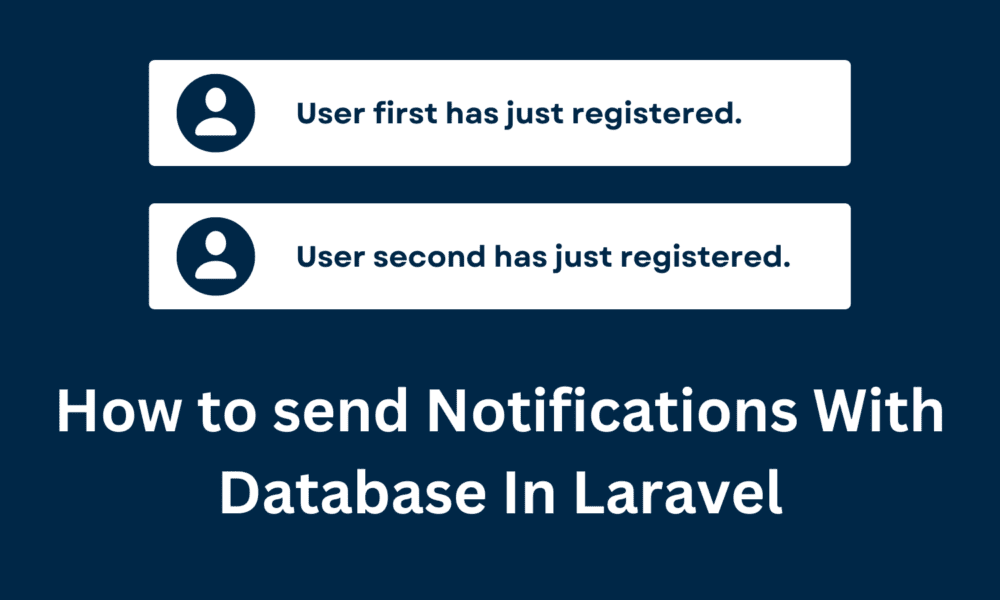
How to send Notifications With Database In Laravel

In this post, we will learn How to send Notifications With Database In Laravel. Laravel Notifications is a wonderful way to notify users via email, SMS, and Slack. I will give you a simple way to send Notifications With Database In Laravel. Laravel notifications are stored in a database, and we displayed them in the web interface.
Laravel notifications should be short, informational messages that notify users of something that occurred in your application. Like if you are writing a CRM application, you might send a New user register notification to your users via email and SMS channels. Laravel notification is represented by a single class that is stored in the app/Notifications directory.

How to send Notifications With Database In Laravel
Table of concepts
- Notifications DB Table
- Create a notification class
- Call The Notification class
- Show Notification
- Notifications Read
Notifications DB Table
We need to create a Database table. So Run the below command in CMD(Command prompt):
php artisan notifications:tableBelow code is the structure of that notifications table:
<?php

#database\migrations\2022_12_27_060130_create_notifications_table.php

use Illuminate\Database\Migrations\Migration;
use Illuminate\Database\Schema\Blueprint;
use Illuminate\Support\Facades\Schema;

class CreateNotificationsTable extends Migration
{
    /**
     * Run the migrations.
     *
     * @return void
     */
    public function up()
    {
        Schema::create('notifications', function (Blueprint $table) {
            $table->uuid('id')->primary();
            $table->string('type');
            $table->morphs('notifiable');
            $table->text('data');
            $table->timestamp('read_at')->nullable();
            $table->timestamps();
        });
    }

    /**
     * Reverse the migrations.
     *
     * @return void
     */
    public function down()
    {
        Schema::dropIfExists('notifications');
    }
}
Info:
- it uses the Polymorphic Relations
- uuid field as the primary key.
- the data field will store all notification information.
Now migrate the notifications table using the below command:
php artisan migrateCreate a notification class
php artisan make:notification UserNotificationThe above command to create a new file app/Notifications/UserNotification.php:
<?php
#app/Notifications/UserNotification.php

namespace App\Notifications;

use Illuminate\Bus\Queueable;
use Illuminate\Contracts\Queue\ShouldQueue;
use Illuminate\Notifications\Messages\MailMessage;
use Illuminate\Notifications\Notification;

class UserNotification extends Notification
{
    use Queueable;

    /**
     * Create a new notification instance.
     *
     * @return void
     */
    public function __construct($user)
    {
        $this->user = $user;
    }

    /**
     * Get the notification's delivery channels.
     *
     * @param  mixed  $notifiable
     * @return array
     */
    public function via($notifiable)
    {
        return ['database'];
    }

    /**
     * Get the mail representation of the notification.
     *
     * @param  mixed  $notifiable
     * @return \Illuminate\Notifications\Messages\MailMessage
     */
    public function toMail($notifiable)
    {
        return (new MailMessage)
            ->line('The introduction to the notification.')
            ->action('Notification Action', url('/'))
            ->line('Thank you for using our application!');
    }

    /**
     * Get the array representation of the notification.
     *
     * @param  mixed  $notifiable
     * @return array
     */
    public function toArray($notifiable)
    {
        return [
            'name' => $this->user->name,
            'email' => $this->user->email,
        ];
    }
}
Here are three things:
- Add database as notification channel, via() method.
- Get registered user information in the constructor.
- toArray() method we store data in a table.
Call The Notification class
we will use the Registered() event and we are creating a Listener class to send notifications.
php artisan make:listener SendUserRegistrationNotification<?php
#app\Listeners\SendUserRegistrationNotification.php
namespace App\Listeners;
use Illuminate\Contracts\Queue\ShouldQueue;
use Illuminate\Queue\InteractsWithQueue;
use App\Notifications\UserNotification;
use App\Models\User;
use Notification;
class SendUserRegistrationNotification
{
/**
* Create the event listener.
*
* @return void
*/
public function __construct()
{
//
}
/**
* Handle the event.
*
* @param object $event
* @return void
*/
public function handle($event)
{
$admin = User::where('role', 1)->first();
Notification::send($admin, new UserNotification($event->user));
}
}
And Now we are registered SendUserRegistrationNotification in the EventServiceProvider.php file.
<?php
#app\Providers\EventServiceProvider.php

namespace App\Providers;

use Illuminate\Auth\Events\Registered;
use Illuminate\Auth\Listeners\SendEmailVerificationNotification;
use Illuminate\Foundation\Support\Providers\EventServiceProvider as ServiceProvider;
use Illuminate\Support\Facades\Event;
use App\Listeners\SendUserRegistrationNotification;

class EventServiceProvider extends ServiceProvider
{
    /**
     * The event listener mappings for the application.
     *
     * @var array<class-string, array<int, class-string>>
     */
    protected $listen = [
        Registered::class => [
            SendEmailVerificationNotification::class,
            SendUserRegistrationNotification::class,
        ],
    ];

    /**
     * Register any events for your application.
     *
     * @return void
     */
    public function boot()
    {
        //
    }
}
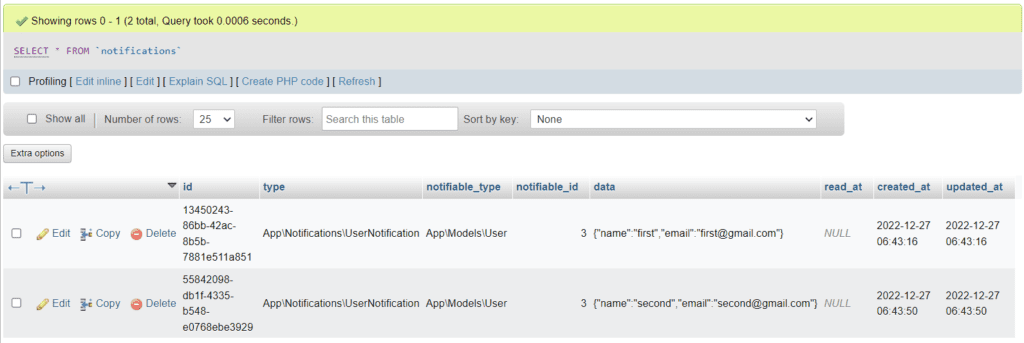
Now, you can create a new registration, a notification will be saved to the database.
Show Notification
<?php
#app\Http\Controllers\HomeController.php

class HomeController
{
    public function index()
    {
        $notifications = auth()->user()->unreadNotifications;
        return view('home', compact('notifications'));
    }
}
And you can show them in the Blade file.
resources/views/home.blade.php
@if(auth()->user()->role == 1)
    @forelse($notifications as $notification)
        <div class="alert alert-success main-cls">
            [{{ $notification->created_at }}] User {{ $notification->data['name'] }}
            ({{ $notification->data['email'] }}) has just registered.
            <a href="#" class="mark-as-read" data-id="{{ $notification->id }}">Mark as read</a>
        </div>
    @if($notification)
        @if($loop->last)
            <a href="#" id="mark-all">Mark all as read</a>
        @endif
    @endif
    @empty
        <p>There are no new notifications.</p>
    @endforelse
@endif
Notifications Read
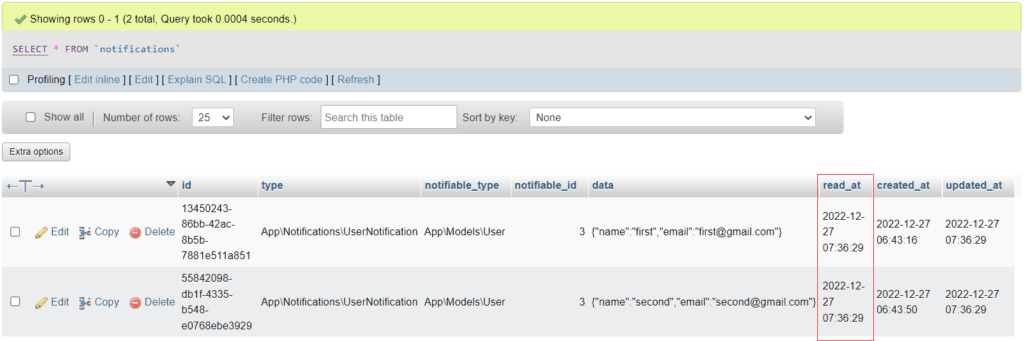
Here, the database column read_at is NULL by default. and we will add a timestamp if it was read.
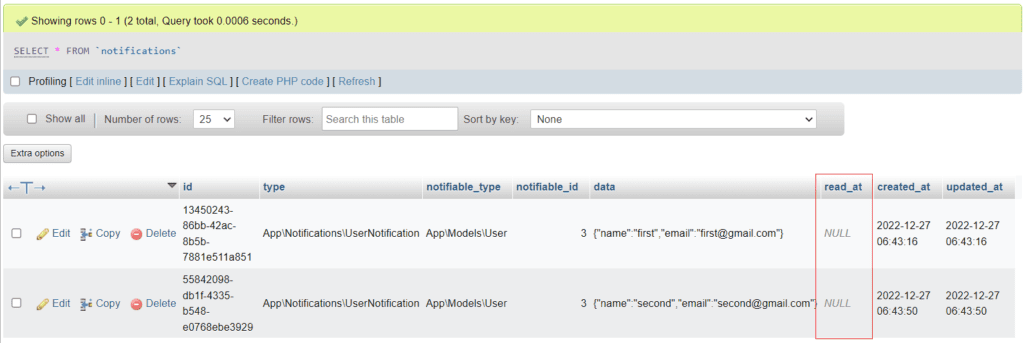
Now, we are marking notifications as read. and we will use AJAX calls from the dashboard. but first, we define a route and controller.
Route file
<?php
#routes/web.php:

use Illuminate\Support\Facades\Route;

Route::get('/', function () {
    return view('welcome');
});

Auth::routes();

Route::get('/home', [App\Http\Controllers\HomeController::class, 'index'])->name('home');

Route::group(['middleware' => ['auth']], function() {
    Route::post('/mark-as-read', [App\Http\Controllers\HomeController::class, 'markAsNotification'])->name('markAsNotification');
});
Controller file
<?php

#app\Http\Controllers\HomeController.php

class HomeController
{
    public function markAsNotification(Request $request)
    {
        auth()->user()->unreadNotifications->when($request->input('id'), function ($query) use ($request) {
            return $query->where('id', $request->input('id'));
        })->markAsRead();
        return response()->noContent();
    }
}
And, now we are defining AJAX, so open the resources/views/home.blade.php file.
resources/views/home.blade.php
<script>
    $(function() {
        $('.mark-as-read').click(function() {
            var request = sendRequest($(this).data('id'));
            request.done(() => {
                $(this).parents('.main-cls').remove();
            });
        });
        $('#mark-all').click(function() {
            var request = sendRequest();
            request.done(() => {
                $('.main-cls').remove();
            })
        });
    });

    function sendRequest(id = null) {
        var _token = "{{ csrf_token() }}";
        return $.ajax("{{ route('markAsNotification') }}", {
            method: 'POST',
            data: {_token, id}
        });
    }
</script>