How to create a WordPress post pagination without plugin

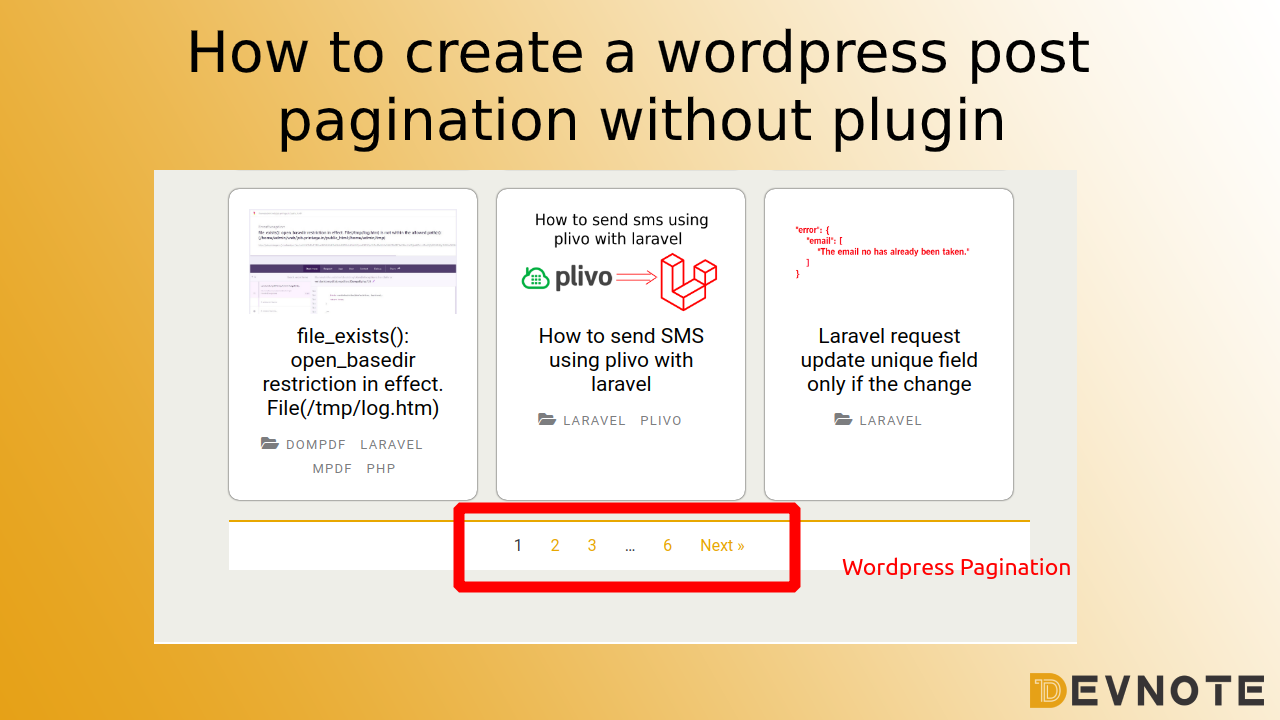
By default, WordPress lets you navigate to next and previous posts, but for real blog archives or custom loops, you often need proper numbered pagination. This lets users go back and forth between multiple pages of posts in a clear and user-friendly way.
In this tutorial, we will create custom post pagination without any plugin, using WordPress’s built-in paginate_links() function with a custom WP_Query.
Step 1: Create a Custom Query With Pagination
First, we create a custom query and pass the paged parameter so WordPress knows which page of results to show.
<?php
$paged = ( get_query_var( 'paged' ) ) ? get_query_var( 'paged' ) : 1;

$data = new WP_Query( array(
    'post_type'      => 'post',      // post type (not "posts")
    'posts_per_page' => 10,          // posts per page
    'paged'          => $paged,      // current page
) );

if ( $data->have_posts() ) :
    while ( $data->have_posts() ) : $data->the_post();
        // Your post template code here (title, excerpt, etc.)
    endwhile;
Step 2: Add paginate_links for Numbered Pagination
After the loop, we calculate the total pages and then use paginate_links() to display numbered pagination with previous and next links.
    $total_pages = $data->max_num_pages;

    if ( $total_pages > 1 ) {

        $current_page = max( 1, get_query_var( 'paged' ) );

        echo paginate_links( array(
            'base'      => get_pagenum_link( 1 ) . '%_%',
            'format'    => 'page/%#%/',
            'current'   => $current_page,
            'total'     => $total_pages,
            'prev_text' => __( '« Prev' ),
            'next_text' => __( 'Next »' ),
        ) );
    }
    ?>
<?php else : ?>
    <h2><?php _e( '404 Error Not Found', 'textdomain' ); ?></h2>
<?php endif; ?>

<?php wp_reset_postdata(); ?>
What this does:
$data->max_num_pagesgives you the total number of pages.get_query_var( 'paged' )gets the current page number from the URL.paginate_links()builds the HTML for the pagination links.prev_textandnext_textset the labels for the previous and next buttons.baseandformatcontrol how the pagination URLs look (adjust them if your permalink structure is different).